A Design System is a structured collection of design principles, reusable components, interaction patterns, visual standards, and implementation guidelines that help teams design and develop digital products in a unified, consistent, and scalable manner. Unlike a simple UI Kit that focuses more on visual components, a Design System creates a common language between design, development, and product teams and specifies how different components should be built, used, and maintained.
In products that grow over time, the absence of a coherent Design System typically leads to inconsistent repetition of elements, differences in interaction patterns, increased rework, and reduced decision-making speed. For example, multiple different versions of buttons, forms, cards, or tables may be created in different parts of the product, which both weakens the user experience and makes technical maintenance more difficult. A Design System eliminates this scattering and provides a common platform for producing a unified experience.
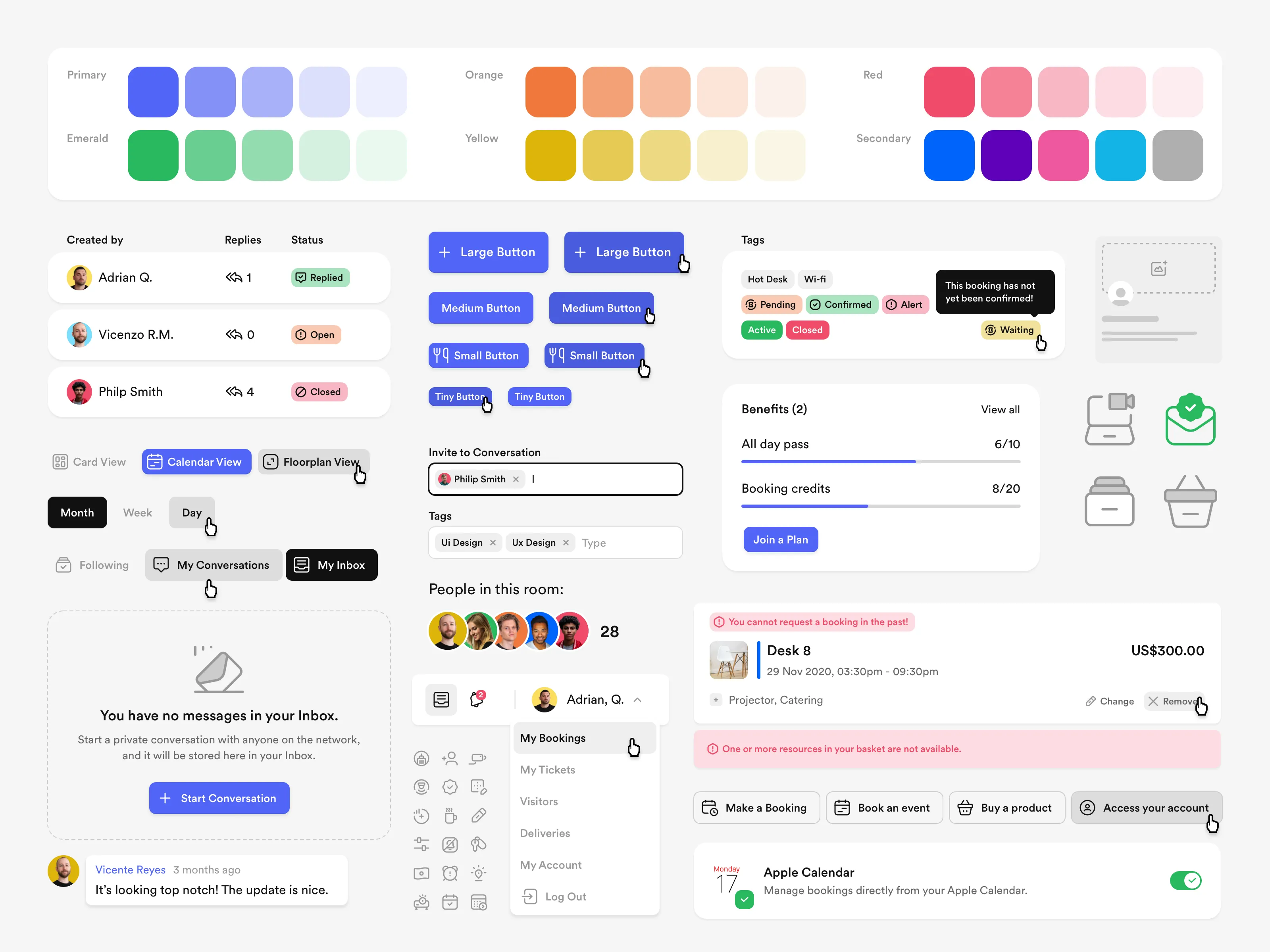
Creating a Design System typically begins with extracting existing patterns in the product or initial design of standards. At this stage, basic elements such as colors, typography, spacing, shadows, grids, icons, and accessibility principles are defined. These basic elements are then transformed into higher-level components such as buttons, inputs, menus, modals, cards, tabs, and tables. Each component must be precisely documented to specify under what conditions, with what behaviors, and in what states it should be used.
- Defining common visual principles and identity
- Standardizing recurring components
- Creating usage rules and documenting components
- Increasing the speed of designing new pages and features
- Aligning design and development teams in using components
One of the most important advantages of a Design System is scalability. As the product grows, teams can use pre-defined components instead of redesigning similar elements. This approach not only saves time but also increases output quality. On the other hand, the development team can maintain the coded version of these same components in frontend libraries to maintain consistency between design and implementation.
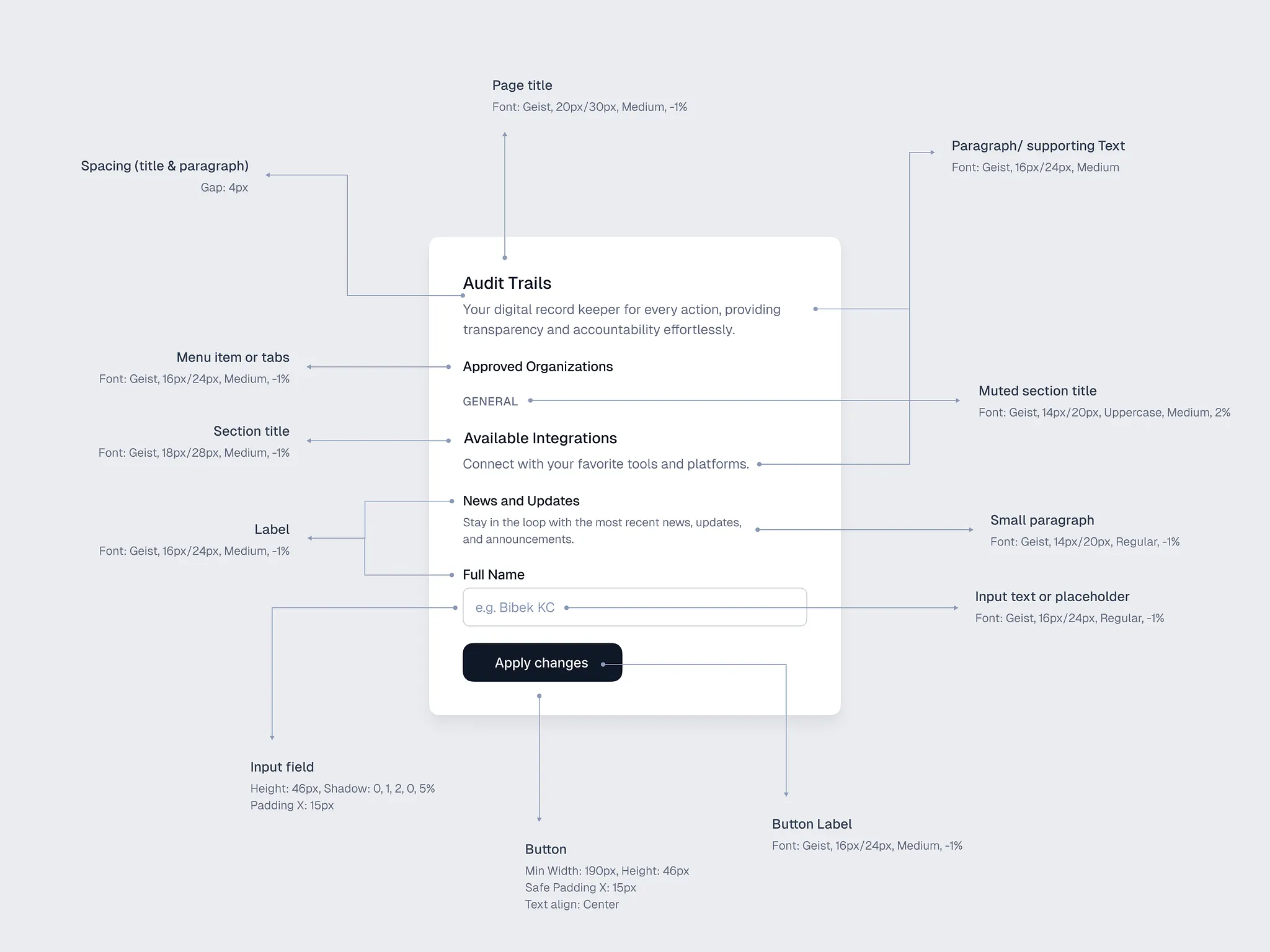
A Design System does not only include visual components; behavioral and interaction rules are also an important part of it. For example, it must be specified in what states buttons are displayed, how forms behave on errors, what consistent pattern success or warning messages follow, and how navigation changes under what conditions. This level of standardization creates a predictable and professional experience for users.
In organizations or products where multiple designers and developers work simultaneously on different parts, having a Design System is a necessity. This system prevents visual inconsistencies, differences in the quality of detail implementation, and wasted time on repetitive decisions. It also makes onboarding new team members easier, as they have a clear reference for design and development.
- Creating a unified user experience across the entire product
- Reducing rework in design and development
- Increasing the speed of producing new pages and capabilities
- Improving collaboration between designers and developers
- Facilitating product maintenance and development at scale
Ultimately, a successful Design System must be alive and evolvable. As the product grows, user needs change, and new capabilities are added, the Design System must also be updated. Therefore, creating a Design System is not a one-time activity but a long-term investment to increase quality, speed, and consistency throughout the entire product lifecycle.